Delete your account
Account deletion is done inside the Canton Fair AI Version mobile app. This website does not sign you in and cannot remove your account for you.
Canton Fair AI Version is provided by Tradeshow Solutions B.V.
Steps in the app
Follow these steps on the device where you are signed in. If you use multiple devices, sign in on each device or sign out everywhere after deletion completes, as your session may still exist until it expires.
- 1
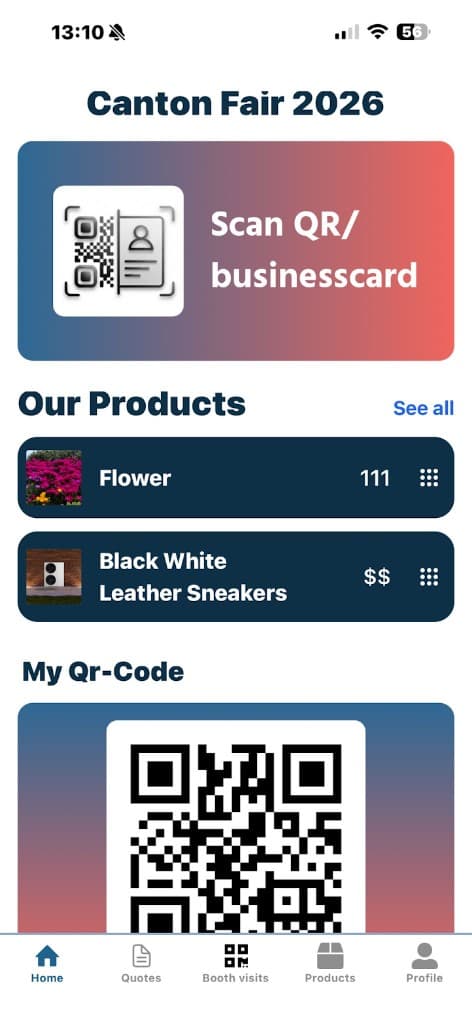
Open the app and go to Home
Launch Canton Fair AI Version on your phone. From the home screen (for example Canton Fair 2026), you will use the bottom navigation bar in the next step.
- 2
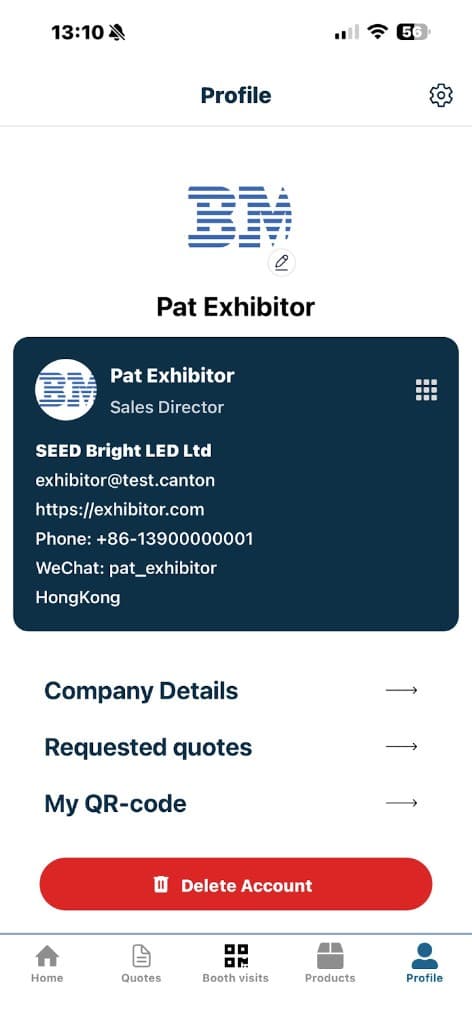
Open Profile
Tap Profile in the bottom-right of the tab bar. On the Profile screen you will see your details and a red Delete Account button at the bottom.
- 3
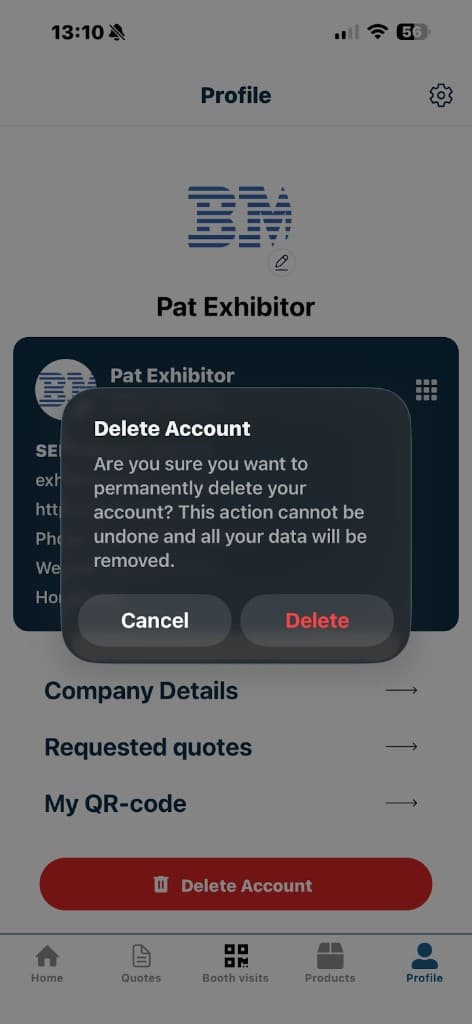
Confirm deletion in the app
Tap Delete Account. A dialog explains that the action is permanent. Tap Delete to confirm, or Cancel if you change your mind.
What is removed and what may stay
Exact retention depends on your role (visitor or exhibitor), fair rules, and legal obligations. The lists below describe the usual split after you confirm deletion in the app.
Typically deleted or anonymized
- Your personal profile and in-app preferences tied to that account
- Personal favorites, notes, and similar data stored only for your login
- Push notification targets for that account on your devices
- Identifiers that would allow the app to treat you as the same logged-in user
May be retained (examples)
- Records another exhibitor or buyer received because you contacted them (their copy of a conversation or quote request)
- Billing, compliance, or audit logs where the law requires a retention period
- Aggregated statistics that no longer identify you personally
- Encrypted backups until they roll off according to our retention schedule
For questions after deletion, contact support through the channels given with your fair registration, or visit cantonfair.org.cn.